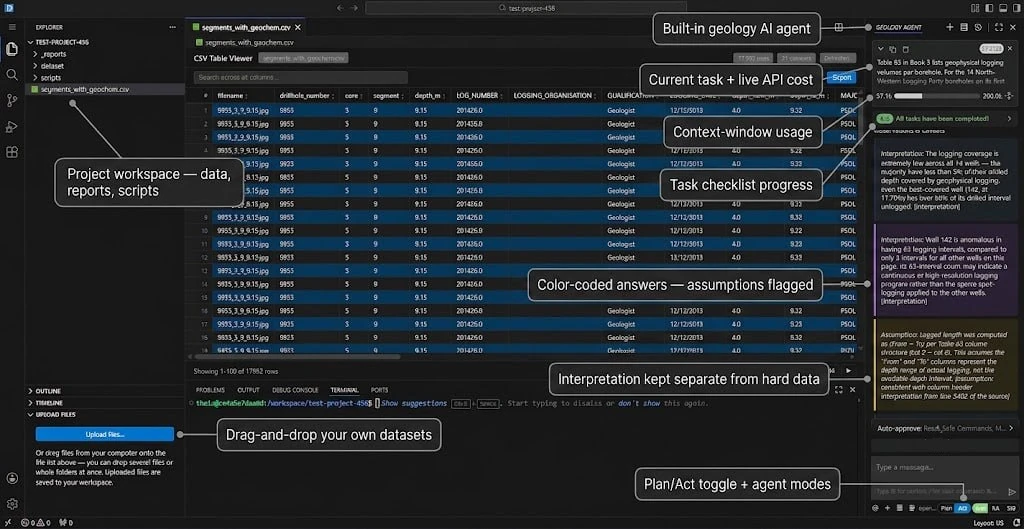
General coding assistants are unreliable on geological data. Give one a detection limit written “<0.005” and it reads the value as 0.005. Give it a big assay table and it loads the whole thing into context, then loses track of what is in it. Its answers are also hard to check against the file they came from. The Geocluster Research Harness is a local tool built for this: you hand the agent a dataset, and it clusters, maps, or ranks anomalies by running tools over the file itself.
It opens in a browser at localhost:3000. Behind that is a fork of Cline with limits on what the agent is allowed to do, plus geocluster-mcp, a Python server of more than fifty tools. They cover dataset inspection, raster and band math, clustering, and anomaly ranking. Every tool is restricted to the project folder. The agent calls these tools instead of writing throwaway scripts, so you can see and rerun each step. A small synthetic project is included, so you can try it without your own data.
The only thing that leaves your machine is the request to whichever model provider you set up, whether that is OpenRouter, Anthropic or OpenAI. You supply the API key. The code is Apache-2.0, and the fork is maintained separately from Cline.